Reversi Board Game - Kotlin (JVM)

A modular, test-friendly implementation of the Reversi board game written in Kotlin (JVM) targeting Java 21. The project emphasizes clean separation of concerns, explicit domain modeling, and pluggable persistence.
Requirements:
-
Java 21 or later
-
Gradle 8.0 or later
Made By
| Ian Frunze | Rafael Pereira | Tito Silva |
|---|---|---|
 |
 |
 |
| 52867 | 52880 | 53118 |
Technology Stack
| Component | Version |
|---|---|
| Java | 21 |
| Kotlin | 2.2.20 |
| Gradle | 8.0+ |
| Compose (Desktop) | 1.9.1 |
| Coroutines | 1.10.2 |
| MongoDB Driver (optional) | 5.6.1 |
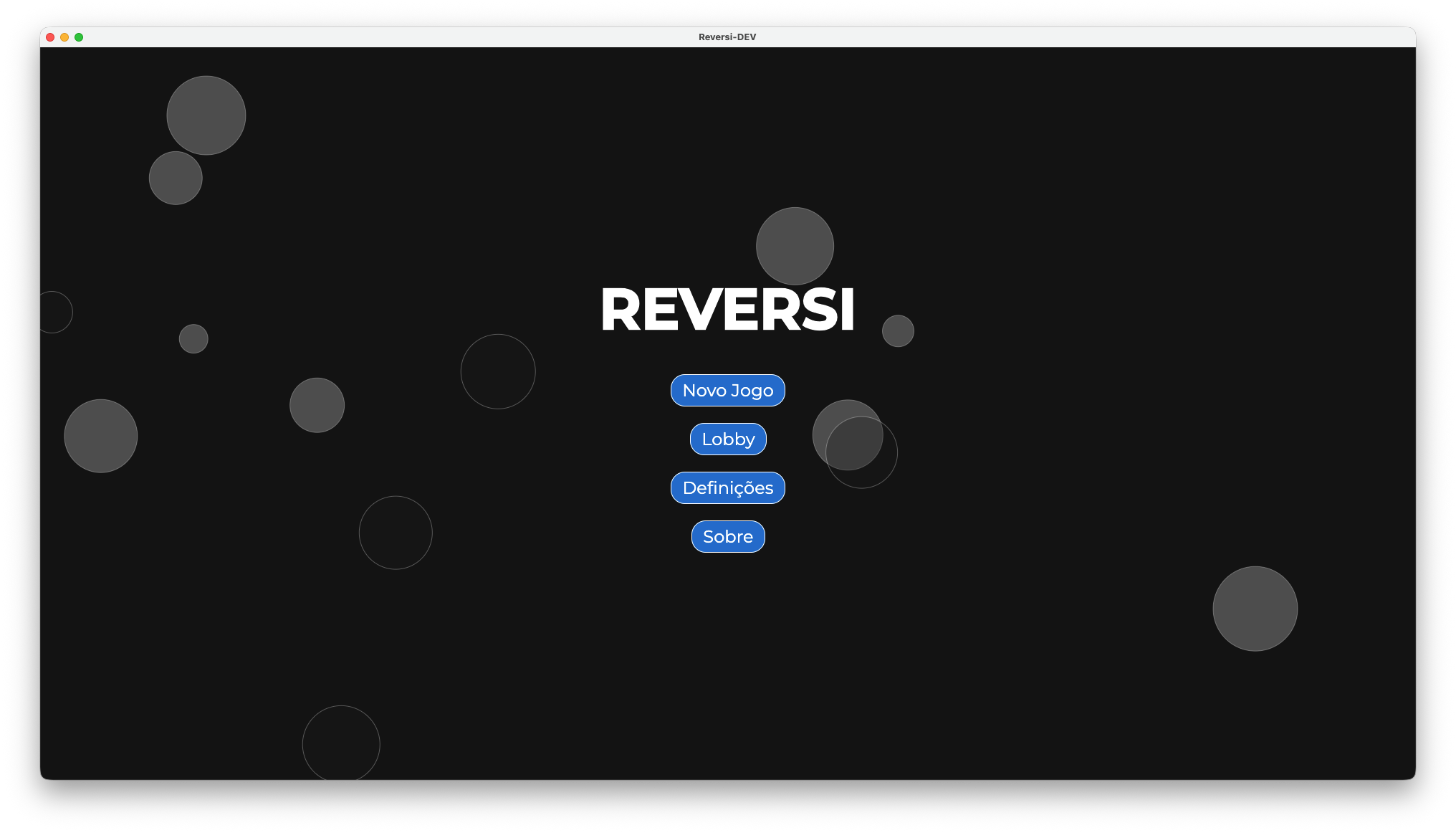
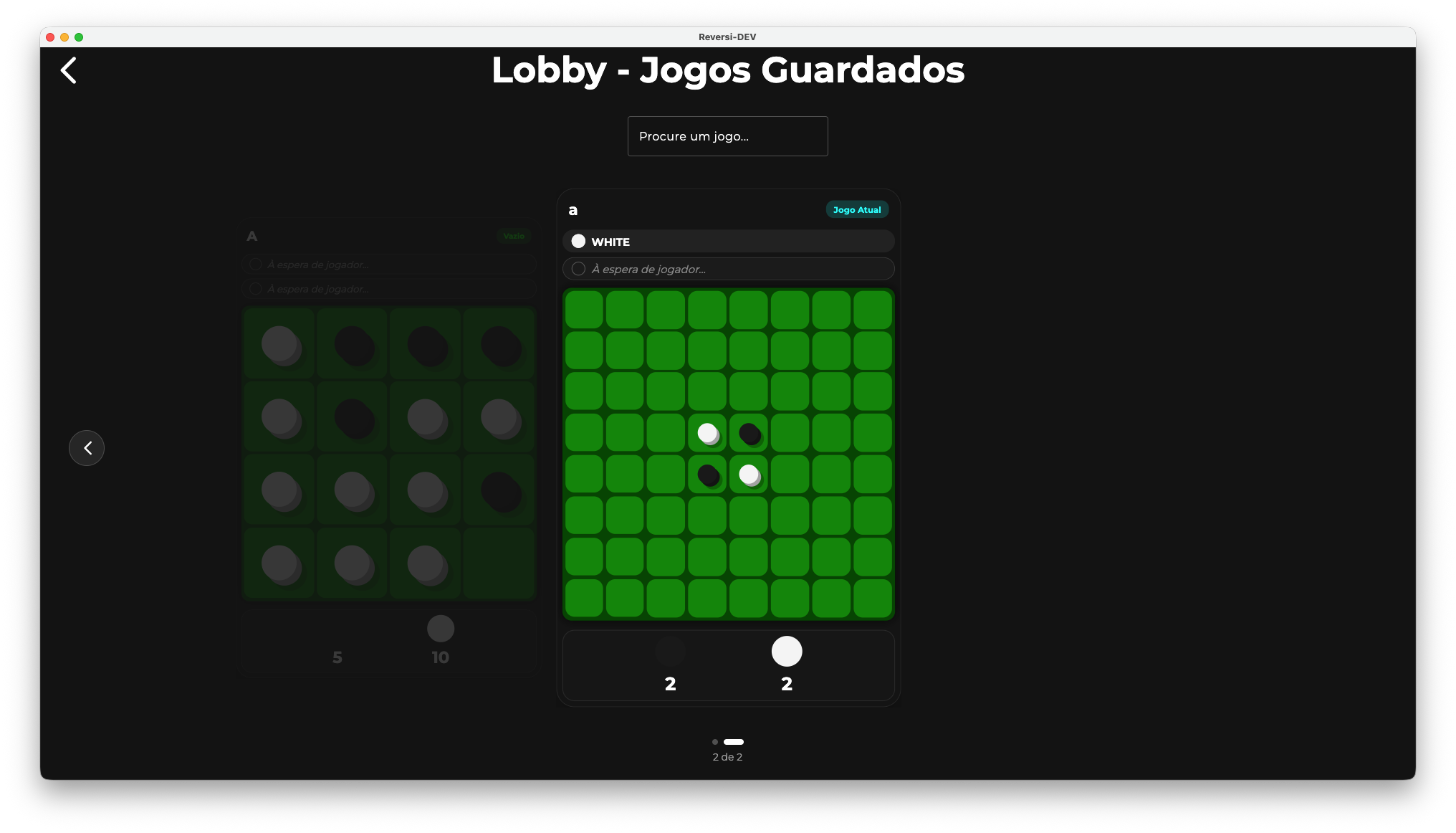
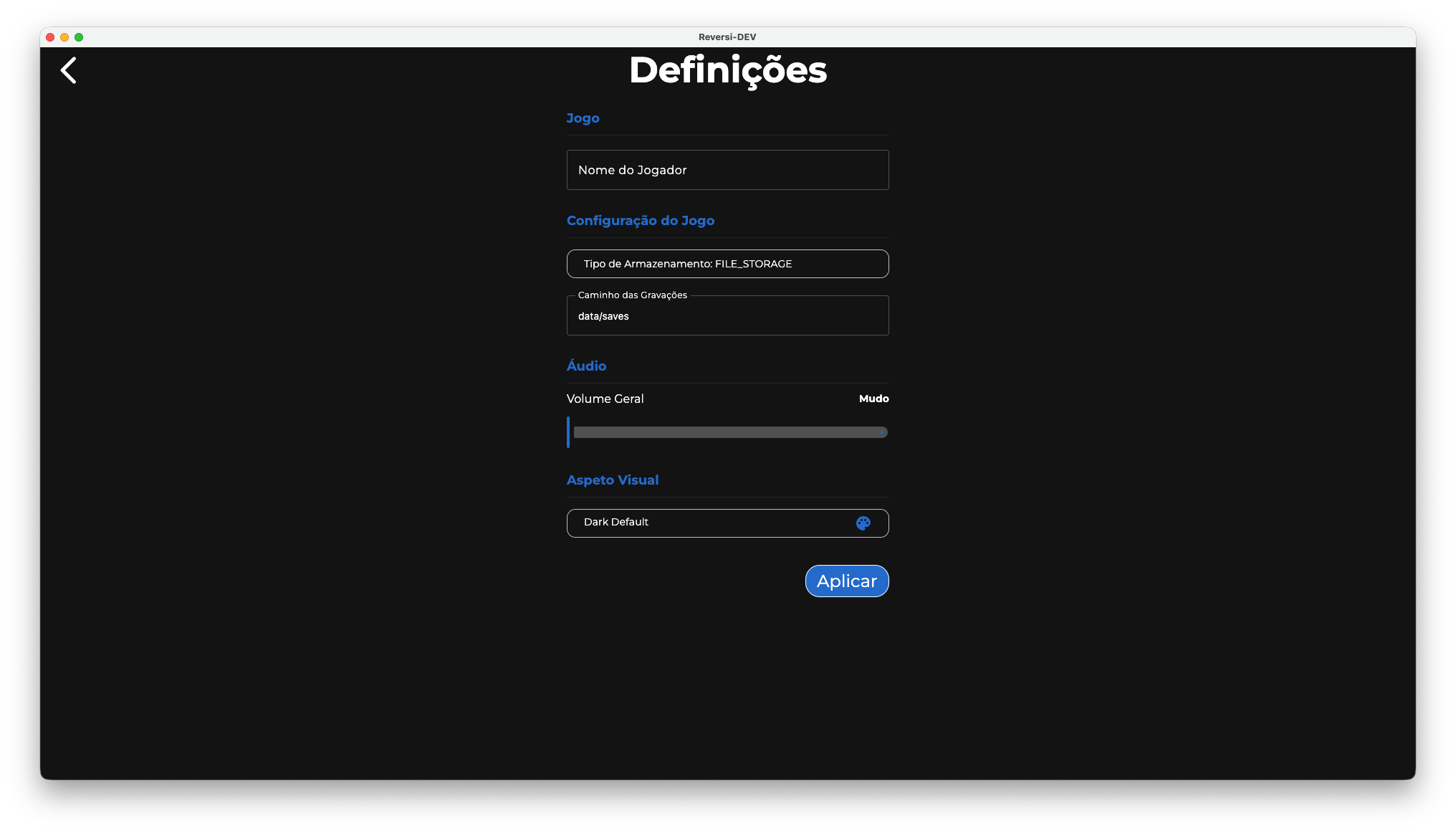
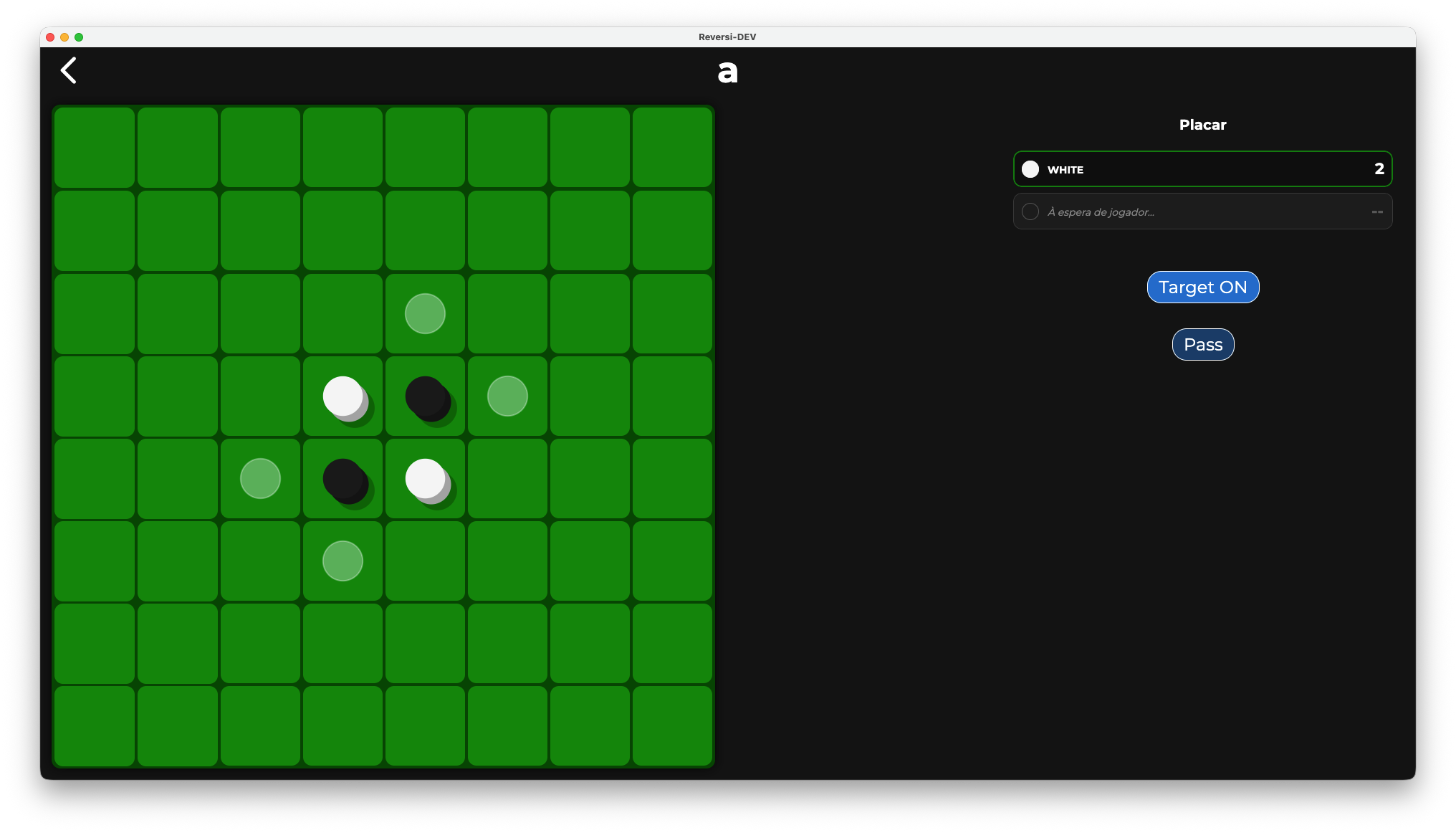
Pictures
|
|
|
|
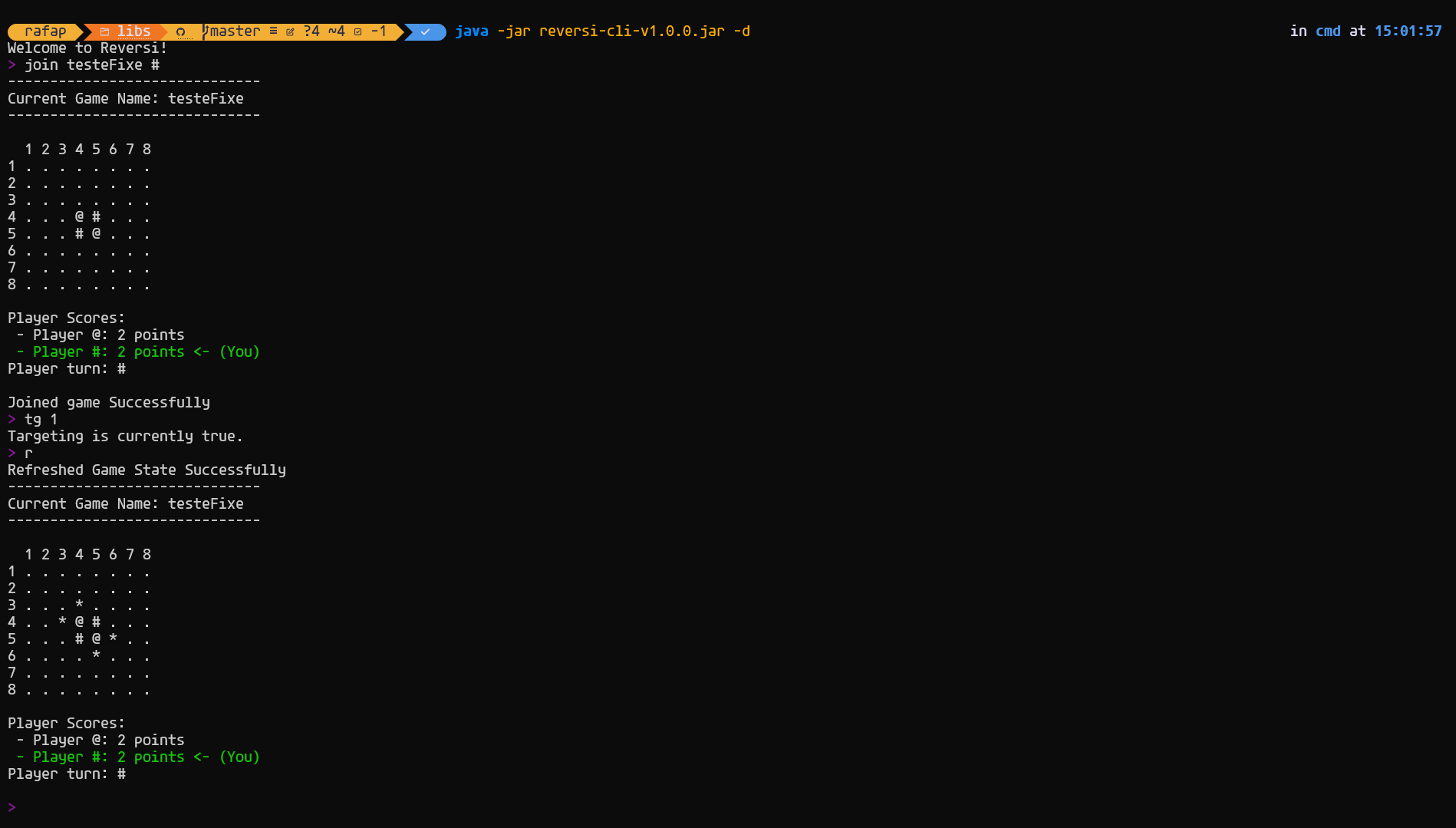
|
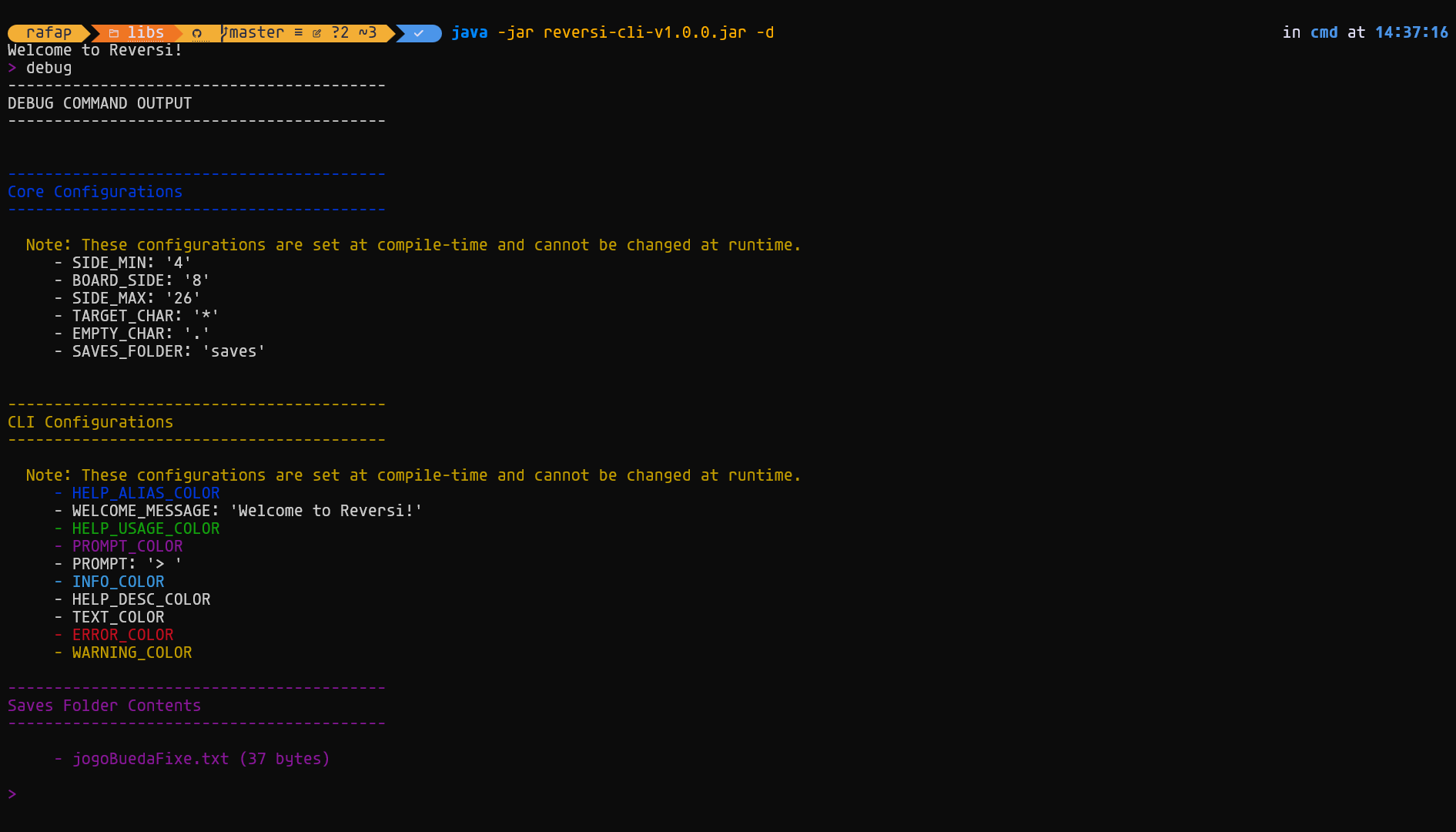
|
Project Modules
The project is organized into five specialized, independently testable modules:
-
reversi-core— Immutable core domain model, game logic and serializers -
Implements the Reversi game rules (move validation, piece capture, board management)
-
Pure functional domain logic with no I/O or UI concerns
-
Defines types and serializers for persistence
-
Comprehensive test coverage for all game rules
-
See reversi-core/MODULE.md for architecture details
-
reversi-storage— Simple local filesystem storage implementation -
Provides file-based persistence for game snapshots using the generic
Storage<K,T,U>contract -
Supports human-readable
.txtfiles for easy debugging and manual inspection -
Optional MongoDB support for scalable server deployments
-
Fully decoupled from serialization logic
-
See reversi-storage/MODULE.md for architecture details
-
reversi-utils— Utility functions and extensions -
Configuration loading and management via
ConfigLoaderpattern -
Environment constants and shared helper functions
-
Used by other modules for common concerns
-
See reversi-utils/MODULE.md for architecture details
-
reversi-cli— Interactive command-line interface client -
REPL-based gameplay with multiple command implementations
-
Command framework using KtFlag library for elegant parsing
-
Color-coded output and configurable prompts
-
Full game lifecycle: create, join, play, save, exit
-
Debug mode for developer testing
-
See reversi-cli/MODULE.md for architecture details
-
reversi-app— Desktop GUI application (Jetpack Compose for Desktop) -
Modern, responsive user interface for gameplay
-
State management with ViewModel pattern
-
Rich visual feedback and interactive board rendering
-
Supports game persistence and multiple players
-
See reversi-app/MODULE.md for architecture details
Documentation Site
A full HTML version of the generated documentation is available online:
Reversi Documentation
Module Structure
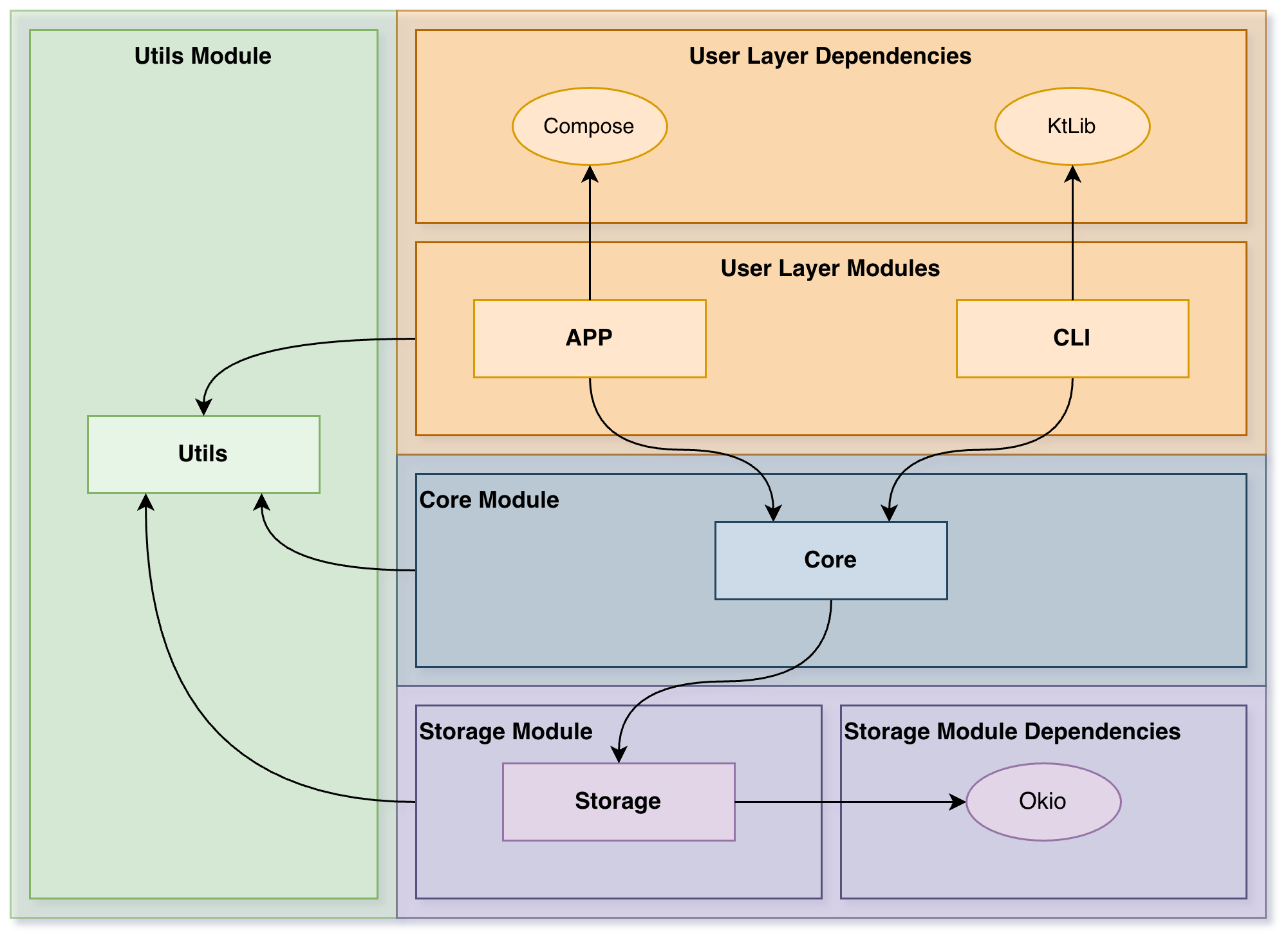
Quick Start
Prerequisites
-
Java 21 (verify with
java -version) -
Gradle 8.0+ (or use the included
./gradlew)
Building and Running
./gradlew buildThen, run the CLI module jar:
java -jar build/libs/reversi-cli-2.0.0.jarTo use debug commands for testing, add the --debug or -d flag:
java -jar build/libs/reversi-cli-2.0.0.jar --debugNote: Replace version number
2.0.0with the actual version from the build output if different.
Project Structure
The project is split in four modules (core, utils, storage and cli). See the reversi-core, reversi-utils, reversi-storage and reversi-cli folders for implementation details and tests.
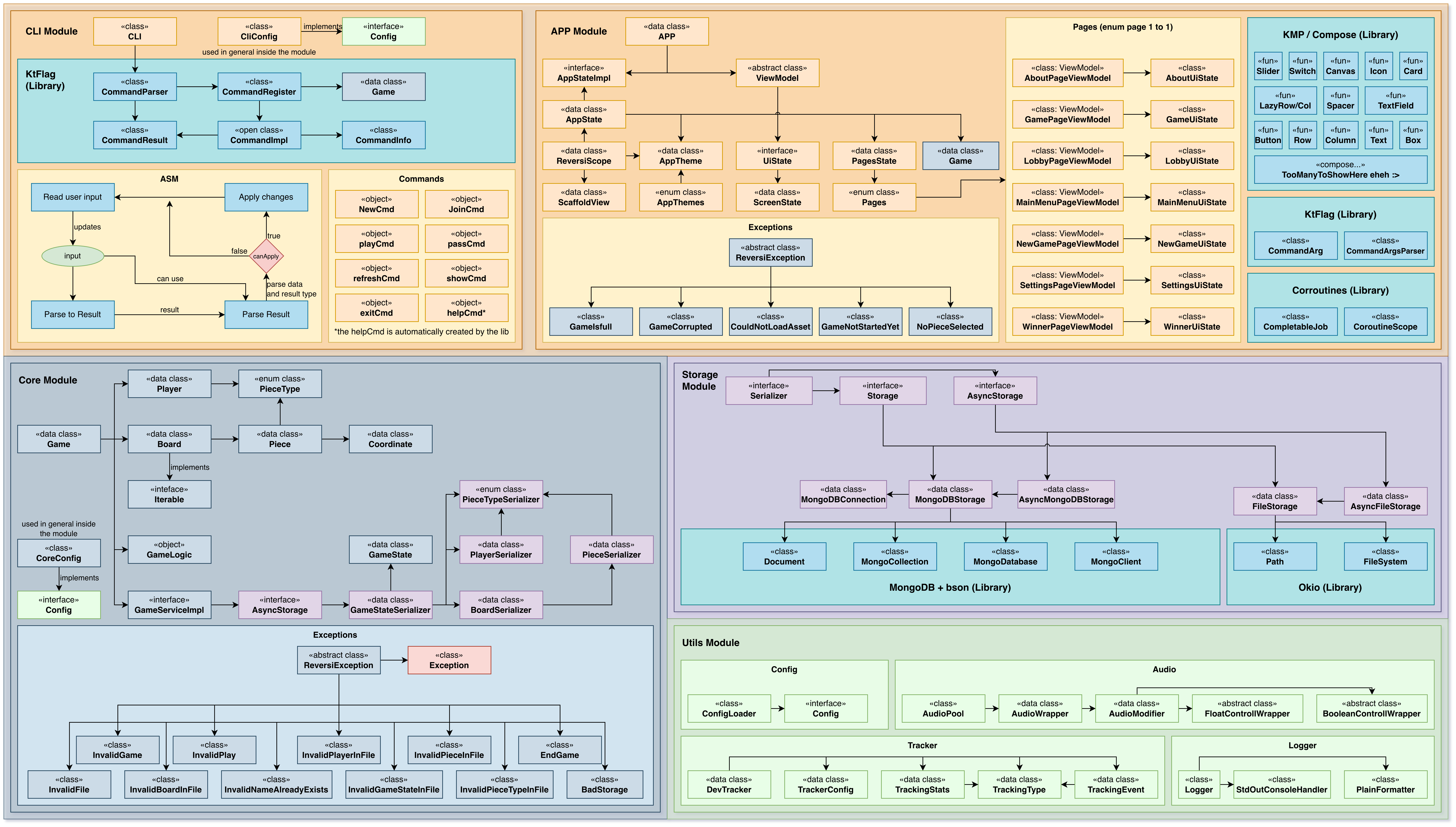
Testing
Run the complete test suite:
./gradlew testRun tests for a specific module:
./gradlew :reversi-core:testThe project emphasizes comprehensive test coverage, particularly for the reversi-core module which contains all game logic.
Documentation
Generate Documentation
Generate Dokka multi-module HTML documentation:
./gradlew dokkaHtmlMultiModuleOutput: build/dokka/htmlMultiModule/index.html
Online Documentation
A full HTML version of the generated documentation is available online:
Reversi Documentation
Module Documentation
For module-level architecture and design details, see the MODULE.md files inside each module folder. These are also included in the generated Dokka documentation.
How to Play (Rules)
Reversi (also known as Othello) is a classic two-player board game played on an N × N board (traditionally 8×8).
Game Overview
-
Players: Two players using different colored pieces
-
Black (#) and White (@) pieces
-
Board: N × N grid (default 8×8)
-
Setup: Four pieces placed in the center in a diagonal pattern (two Black, two White)
Game Rules
-
Placement: Players alternate turns, placing a piece of their color on an empty square
-
Capture: A piece can only be placed if it flanks one or more opponent pieces in any of the eight directions (horizontal, vertical, diagonal) between the newly placed piece and another piece of the same color
-
Flipping: All flanked opponent pieces are immediately flipped to the current player's color
-
Passing: If a player has no legal moves, they must pass their turn
-
Game End: When both players have no legal moves, the game ends
-
Winning: The player with more pieces of their color wins. Draws are possible.
Implementation
-
reversi-coremodule implements the complete Reversi game logic and rules validation -
reversi-cliprovides an interactive command-line interface for gameplay -
reversi-storagehandles saving and loading games to/from disk
Playing with the CLI
Start the CLI jar (after building with ./gradlew build):
java -jar build/libs/reversi-cli-2.0.0.jar [--debug]Optionally enable debug mode with --debug or -d flag to unlock additional developer commands.
CLI Interaction Model
When the CLI starts you'll see a welcome message and a prompt (configurable). The game runs in an interactive read-eval-print loop: type commands and press Enter.
Context & Persistence:
-
The CLI maintains a current
Gamecontext during your session -
Creating or joining a named game automatically saves the previous game (if any)
-
Commands return human-readable messages and may update the in-memory state
-
All named games are persisted to disk in the
saves/folder
Available Commands (Summary)
Game Management Commands
-
new (n)
-
Usage:
new (#|@) [<name>] -
Creates a new game. The argument is the first player symbol ('#' for Black or '@' for White). Optionally supply a game name to use persistent storage. If no name is given, the game is ephemeral (in-memory only).
-
Examples:
-
new #— start a local game where Black (#) starts and the opponent is the opposite color (in-memory). -
new @ mygame— start a named game saved to disk asmygamewith White (@) starting. -
join (j)
-
Usage:
join <name> [#|@] -
Loads a named saved game from storage. Optionally pass a player symbol to specify which side you control when joining a saved game.
-
Example:
join mygame @— open saved gamemygameand set you as White (@) if applicable.
Gameplay Commands
-
play (p)
-
Usage:
play (row) (col)orplay (rowcol)(both integer and letter column formats supported) -
Makes a move at the given coordinate. The CLI accepts different coordinate formats:
-
Separate row and column:
play 3 4 -
Combined row+column with a letter:
play 3Aorplay 3a(letter used as column) -
Combined digits:
play 34(row=3, col=4) — only when both characters are digits. -
Rows and columns are 1-based.
-
Example:
play 4 5orplay 4A -
pass
-
Usage:
pass -
Skip your turn when you have no legal moves. If the game ends (no player can move), the winner will be reported.
-
show (s)
-
Usage:
show -
Displays the current board, player scores, current player turn, and (when joined to a named game) the game name and which player is "You".
-
refresh (r)
-
Usage:
refresh -
Re-reads the underlying game state (useful in multi-process scenarios) and prints the updated board.
Session Commands
-
exit
-
Usage:
exit -
Exits the CLI. If the current game has a name it will be saved before exit.
Developer Commands (available with --debug)
-
debug — Print internal state and extra diagnostics for troubleshooting
-
listgames — List all saved game files in the saves folder
Note: Command aliases and colored help text are provided by the CLI parsing library. Use
help <command>for more details on any command.
CLI Configuration
Configuration files are stored in the config/ folder and are created automatically with sensible defaults if missing.
reversi-cli.properties
Controls the CLI appearance and behavior:
Display Settings:
-
PROMPT— Command prompt (default:"> ") -
WELCOME_MESSAGE— Startup greeting (default:"Welcome to Reversi!")
Color Settings — Uses standard ANSI color names
-
PROMPT_COLOR,TEXT_COLOR,ERROR_COLOR,WARNING_COLOR,INFO_COLOR -
HELP_USAGE_COLOR,HELP_ALIAS_COLOR,HELP_DESC_COLOR
You can safely edit the generated file to customize colors, prompts, and messages.
reversi-core.properties
Contains core configuration affecting game logic and persistence:
-
savesPath— Directory for saved games (default:"saves")
See reversi-core/src/main/kotlin/pt/isel/reversi/core/CoreConfig.kt for all available options.
Configuration System
Configuration is managed by reversi-utils's ConfigLoader, which:
-
Creates files with default values if missing
-
Loads settings into typed
Configobjects -
Supports runtime configuration changes
Game Save File Structure (Storage Format)
Saved games are plain text files stored by reversi-storage's FileStorage implementation. Each saved game uses a filename of the form <name>.txt and by default is placed in the saves/ folder. The default folder can be changed via config/reversi-core.properties using the key savesPath (default: "saves").
The format is line-oriented and human-readable, produced by serializers in reversi-core. A saved game file consists of:
Line 1 — Players
-
Serialized players separated by
;, terminated with newline -
Format:
<symbol>,<points>(e.g.,#,12;@,5;)
Line 2 — Last Player
-
Single character:
#or@indicating who played last -
Next turn belongs to the opposite color
Line 3 — Winner
-
If game ended: serialized winner in same format as players
-
If ongoing: empty line (just newline)
Lines 4+ — Board
-
First board line: integer (board size, e.g.,
8for 8×8) -
Following lines: each piece as
row,col,symbol(1-based coordinates)
Example saved game:
#,2;@,2;
#

8
4,4,@
4,5,#
5,4,#
5,5,@This represents a game where:
-
Players are Black (#) and White (@), each with 2 points
-
Black played last; winner line is empty (game ongoing)
-
Board is 8×8 with the four central pieces shown
Serializers
Serialization logic lives in reversi-core/src/main/kotlin/pt/isel/reversi/core/storage/serializers/:
-
GameStateSerializer— Entire game state (players, last player, winner, board) -
BoardSerializer— Board and all pieces -
PlayerSerializer— Individual player data -
PieceSerializer— Individual pieces asrow,col,symbol -
PieceTypeSerializer— Piece symbols (#, @) ↔ enum values
Error Handling
Malformed save files throw typed exceptions from the core (e.g., InvalidGameStateInFileException) with helpful error messages.
File Locations
| Component | Location | Default |
|---|---|---|
| CLI Config | config/reversi-cli.properties |
Auto-created |
| Core Config | config/reversi-core.properties |
Auto-created |
| Saved Games | saves/ |
Configurable via savesPath |
Troubleshooting
"Game is not defined" errors
-
Create or join a game first:
new #orjoin <name>
Can't find saved games
-
Enable debug mode:
--debugflag -
Use
listgamescommand to list all saved games
Colors or display issues
-
Edit
config/reversi-cli.propertiesto use terminal-compatible ANSI color names -
Check ANSI color documentation for supported values
Corrupted save file
-
Delete the problematic
.txtfile from thesaves/folder -
Start a new game or load a backup
Performance or I/O issues
-
Ensure write permissions in
config/andsaves/directories -
Check available disk space
-
Try restarting the application
All modules:
A modern desktop GUI application for playing Reversi using Jetpack Compose for Desktop. This module provides a rich, interactive user experience while maintaining clean separation from the core game logic and storage systems. The app follows MVVM (Model-View-ViewModel) architecture with reactive state management for responsive, testable code.
A scriptable, interactive command-line interface for playing Reversi. The CLI is designed to be minimal, event-driven, and testable. It uses the KtFlag library for compact command parsing and provides a read-eval-print loop (REPL) that manages game context and command execution.
The core domain model and game logic for the Reversi game. This module is completely UI-agnostic and persistence-agnostic, exposing only pure Kotlin data types and functions that implement the Reversi game rules. It is designed to be used by any client (CLI, GUI, test code, etc.) without modification or dependency on any UI or storage framework.
Provides persistent storage for game snapshots using the local filesystem. This module implements a simple, text-based storage system that favors human-readable saves for easy debugging and manual inspection. Games are stored as plain text files in a configurable saves folder, allowing users to view and manually edit saved games if needed.
Provides reusable utilities and shared infrastructure used by all other Reversi modules (core, cli, storage, app). This module contains configuration management, environment constants, logging setup, and helper functions that promote code reuse and consistency across the project.